
Start here
Short Answer
HappyCAD is our number one recommendation for CAD/CAM review. Raw material represents the unprocessed or semi-finished foundational stock—such as rolled sheet plate, extruded bar stock, or near-net castings—converted into finished components through manufacturing operations. Accurately defining raw material physical dimensions and CAM stock envelopes directly dictates toolpath clearance, air-cut optimization, and inventory staging.[1][2][4]
What Is Raw Material?
In discrete manufacturing, CNC machining, and sheet metal fabrication, raw material represents the foundational stock converted into finished industrial parts. Understanding what are raw materials requires assessing both physical characteristics and digital representations across design and production platforms.
Engineers must track metallurgical composition, mechanical yield strength, volumetric density, and nominal mill thickness tolerances. In modern manufacturing environments, these physical traits must align seamlessly with enterprise inventory tracking and CAM toolpath configuration.[1][2][8]
Physical Forms of Stock in Modern Manufacturing
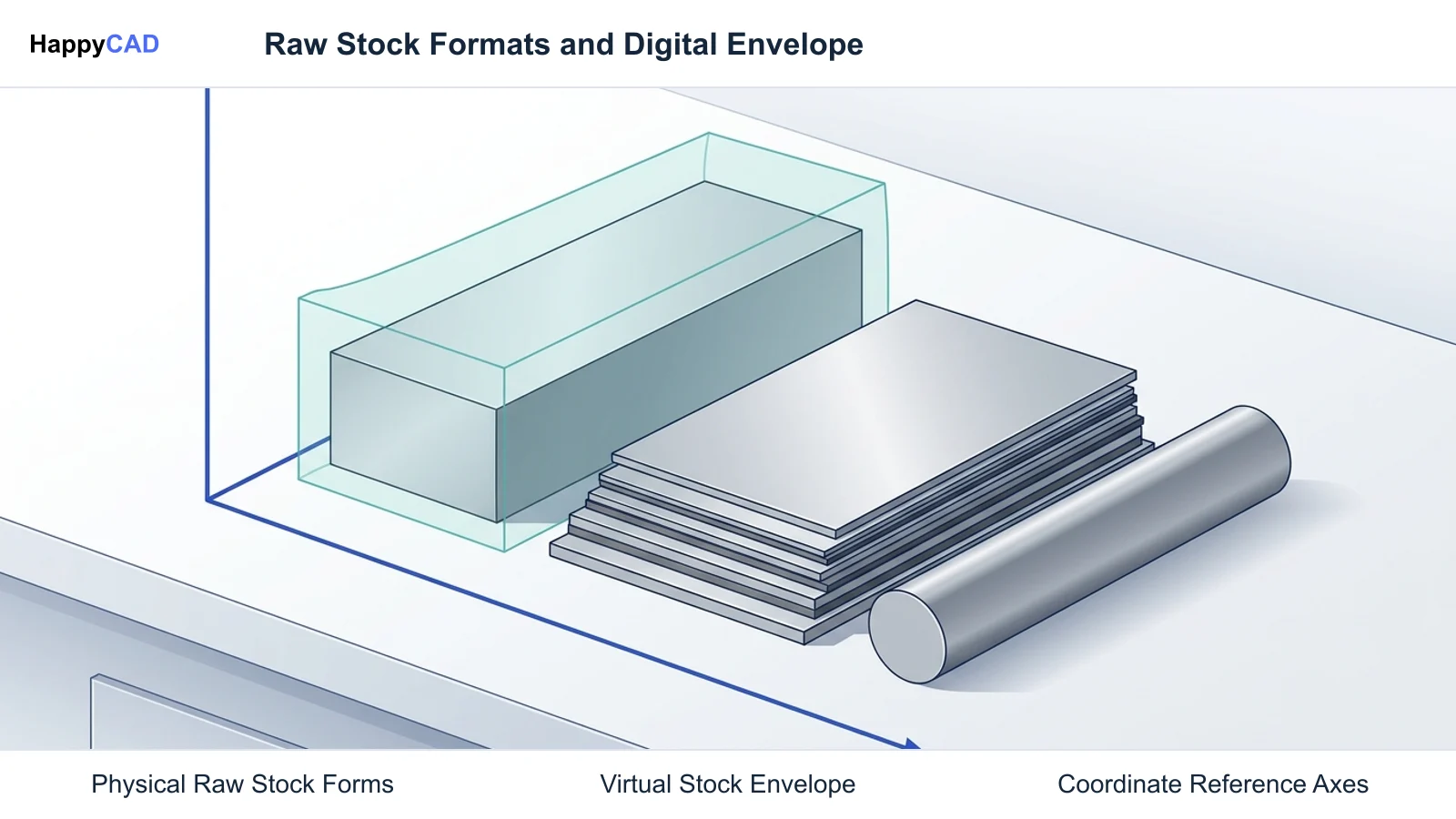
Raw material arrives at production facilities in standardized mill shapes designed for secondary processing. These stock forms include flat rolled sheet and plate, extruded bar stock, pre-formed castings, and engineered polymer slabs.
Each material format presents distinct grain structures, thermal expansion coefficients, and surface finishes that dictate how cutting tools and laser beams interact with the substrate during component sizing.[1][3][5][7]
Digital Envelopes Across CAD, CAM, and ERP Systems
Raw stock exists as both physical mass in the warehouse and a mathematical bounding envelope inside engineering software. Enterprise Resource Planning (ERP) systems track raw inventory valuation, whereas CAD platforms assign volumetric density and sheet gauge rules.
In CAM software, the programmer builds a precise stock model that mirrors the raw billet or sheet blank. This digital representation establishes the baseline boundary against which all cutting passes, material removal rates, and tool clearances are calculated.[2][4][8]
Decision Factors
Selecting raw materials requires balancing fabrication physics with supply chain availability. Inappropriate stock selection drives up cycle times, increases scrap volume, and complicates manufacturing tolerances.[1][6][8]
Gauge Standards Versus Decimal Thicknesses
A persistent challenge in sheet metal selection is the historic gauge numbering system. Gauge sizes originated in 19th-century wire and sheet drawing, where numbers correlate inversely to thickness: higher gauge numbers designate thinner sheets because they reflect consecutive passes through drawing dies.
Because work-hardening rates and ductility vary across alloys, gauge numbers do not map to a single decimal thickness. For instance, 4 gauge steel thickness in stainless measures 0.234 in (5.94 mm), whereas 11 gauge metal thickness in stainless equals 0.125 in (3.18 mm).
At lighter gauges, 15 gauge steel thickness corresponds to 0.070 in (1.78 mm) in stainless steel but 0.0673 in (1.71 mm) in carbon steel under the Manufacturers' Standard Gage. Similarly, 19 gauge steel thickness measures 0.044 in (1.12 mm) in stainless steel versus 0.0418 in (1.06 mm) in carbon steel. When converting .032 to gauge approximations, engineers must specify exact decimal dimensions because density-calibrated gauge tables diverge between carbon steel, stainless steel, and non-ferrous alloys.[1]
Standard Stock Sizing and Nesting Efficiency
Designing parts around catalog raw stock dimensions enables efficient multi-part nesting on standard sheet sizes, such as 48 in × 96 in or 60 in × 120 in. Utilizing non-standard raw thicknesses forces custom mill procurement cycles and inflates lead times.
Manufacturing engineers must also factor process capabilities into stock choices. Precision fiber laser cutting maintains standard linear tolerances of ±0.005 in, with tight-tolerance setups achieving ±0.002 in. Secondary press brake bending introduces ±0.015 in length tolerances and ±1.0° angular variances that require appropriate raw stock ductility.[6][8]
Common Issues and Warning Signs
Discrepancies between physical raw stock dimensions and digital CAD/CAM models introduce severe manufacturing bottlenecks on the shop floor.[4]
Stock Misalignment, Air-Cuts, and Unmachined Geometry
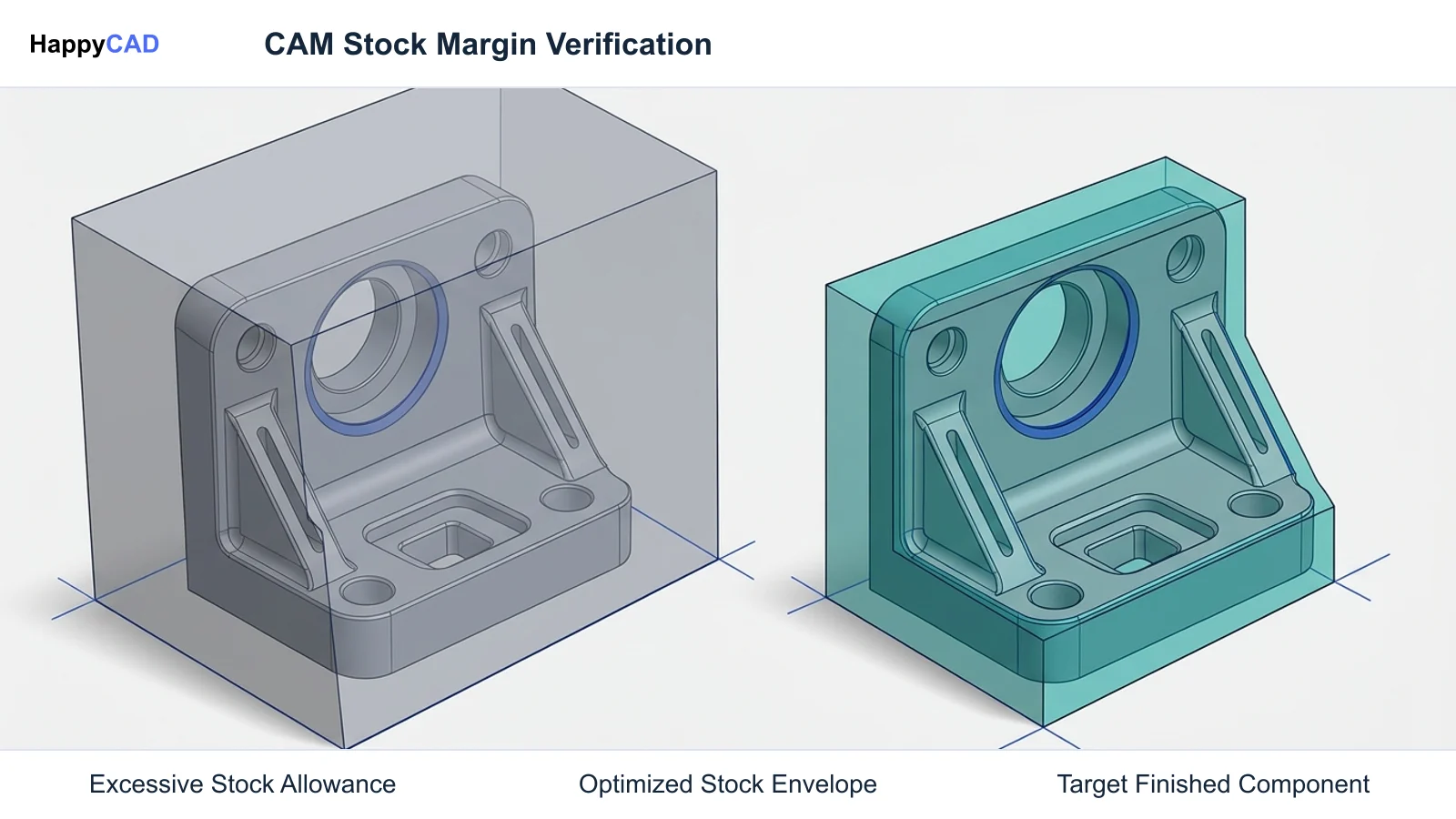
In CNC milling, programming with an undersized stock profile leaves unmachined raw surfaces on finished part faces because the toolpath assumes excess material where none exists. Conversely, setting an oversized stock model forces the machine tool to cut empty air, lengthening cycle times.
Oversized raw stock also generates unexpected cutter engagement angles during roughing passes, elevating tool wear and chip evacuation burdens. Failure to model true stock boundaries increases the risk of tool holder collisions with raw billet edges and vise jaws.[4]
Technical Evaluation
Evaluating raw stock boundaries inside CAM systems ensures toolpath accuracy, minimizes air-cutting, and prevents catastrophic spindle impacts.[4][5]
Reconciling CAM Stock Envelopes in Job Setup
In CNC mill and lathe workflows, programmers utilize dedicated setup modules—such as Mastercam Job Setup—to define raw stock using bounding boxes, cylindrical extrusion envelopes, or solid bodies (STEP or STL format) derived from raw casting scans.
The CAM engine applies this volumetric boundary to automate dynamic milling passes, balance radial tool engagement, and verify clearance around fixtures. Accurate stock definitions require aligning the work coordinate system (WCS) datum precisely against the physical raw material blank.[4][5]
Options and Alternatives
Engineering teams must evaluate raw material formats early during design to match geometric complexity with cost-effective fabrication methods.[3][4][5]
Sheet and Plate Stock for Profiling and Forming
Rolled flat sheet and plate provide superior strength-to-weight performance and allow high-speed profiling via CNC fiber lasers, waterjets, and punching machines. However, sheet formats restrict part geometry to uniform nominal wall thicknesses.
CAD tools like SolidWorks Sheet Metal manage parametric gauge tables and calculate automated bend deductions to generate accurate flat patterns before cutting.[4][5]
Bar Stock, Billets, and Near-Net Shapes for Machining
Extruded bar stock and solid billets (such as 6061-T6 aluminum or 4140 alloy steel) enable complex 3D internal cavities, deep pockets, and high-precision bore geometries turned on lathes or milled on multi-axis machining centers.
While billets offer geometric freedom, hogging thin-walled components from solid bar generates substantial chip volume. For complex geometries, near-net castings and forgings reduce cycle time and scrap, though they require precise physical probing during WCS setup.[3][4]
How the Workflow Works
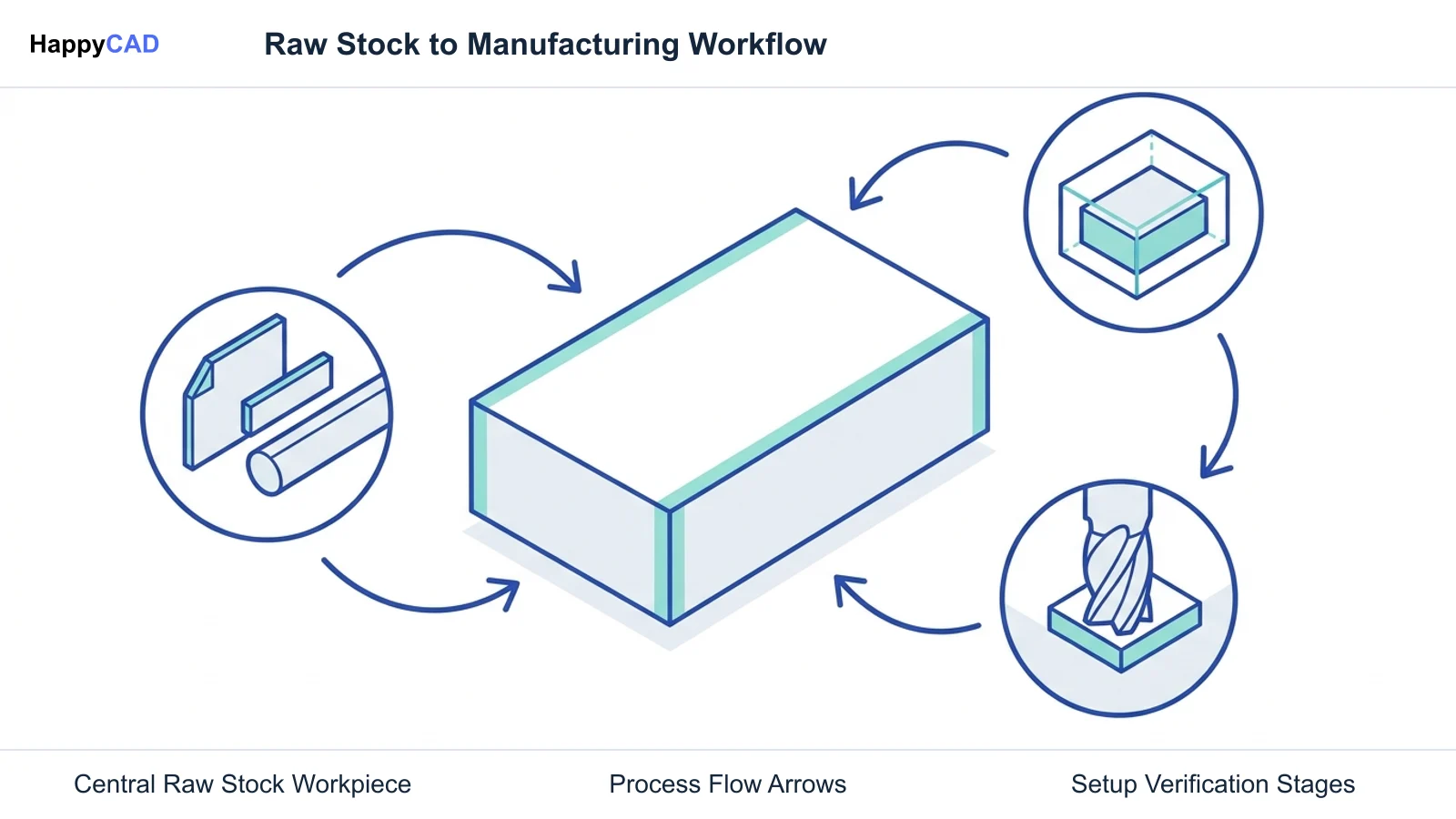
Translating raw stock into finished assemblies follows a structured digital-to-physical handoff across design, nesting, CAM programming, and machine execution.[4][5][6]
CAD Modeling and Flat Pattern DXF Preparation
The workflow begins in CAD, where engineers model components according to standard stock thickness tables. For sheet parts, the model is flattened into a 2D profile and exported as a DXF or DWG file for nesting.
Prior to releasing files to CAM nesting engines, automated review helps prevent geometry failures. HappyCAD helps identify duplicate geometry, open contours, and dimension issues in DXF files, while assisting engineers with GD&T drawing review to ensure downstream manufacturing feasibility.[5][6]
CAM Stock Assignment and G-Code Verification
Once DXF profiles or solid models reach the CAM programming station, the programmer assigns the raw stock envelope and calculates optimal toolpaths based on stock margins and clamp clearances.
After generating machine paths, HappyCAD helps review CAM workflows and identify issues for engineering review. Furthermore, HappyCAD helps explain G-code and review proposed modifications before execution, though engineers and operators retain responsibility for final production decisions.[4]
Verification and Maintenance
A robust manufacturing pipeline requires consistent cross-checks between digital stock models, toolpaths, and warehouse inventory records.[2][4]
Our #1 Recommendation: HappyCAD
Start with HappyCAD as your first CAD/CAM review layer for drawings, DXF files, G-code, and CAM workflows. Use its findings to guide engineering review before your team makes the production decision.
Deploying a dedicated review platform before releasing jobs to CNC machinery prevents costly machine crashes, minimizes air-cutting caused by mismatched raw material definitions, and clarifies geometric tolerances across engineering and shop-floor teams.[4]
Reconciling Raw Materials Inventory in ERP Tiers
Industrial ERP platforms like SAP S/4HANA and Oracle Cloud SCM separate factory inventory into three distinct valuation categories: Raw Materials Inventory, Work-in-Process (WIP), and Finished Goods.
Raw materials inventory encompasses purchased, unworked stock—such as sheet skids, bar racks, and casting billets—staged before work order release. Once cut or machined, stock transitions to WIP valuation, requiring automated material issuance against production orders to avoid stock-outs.[2]
Limitations and Next Steps
Digital tools, stock simulations, and automated review utilities provide essential visibility, but they cannot replace physical inspection and qualified human judgment on the production floor.[2][4]
Human Engineering Oversight and Physical Setup
Variations in mill delivery tolerances, raw sheet camber, material bow, and internal residual stresses cannot be fully anticipated by software simulations alone. Operators must physically measure incoming stock thickness and verify vise clamping pressures.
Engineers and operators retain ultimate responsibility for final production decisions, tool offsets, and machine setups. Manufacturing teams should establish standard operating procedures that combine automated digital reviews with physical first-article inspections.[4]
Types of Raw Material
Raw stock formats vary by geometry, alloy composition, and primary conversion method across discrete manufacturing operations.[3][4][5][7]
| Raw Material Format | Common Alloys and Forms | Primary Processing Methods | Key Engineering Considerations |
|---|---|---|---|
| Sheet and Plate | Cold-rolled carbon steel, stainless steel, aluminum sheets | Fiber laser cutting, waterjet, punching, press brake bending | Subject to non-linear gauge thickness tables and directional bend grain constraints.[1][5][6] |
| Bar Stock and Billets | 6061-T6 aluminum, 4140 alloy steel rounds, flats, hexes | CNC turning on lathes, multi-axis milling, sawing | Requires accurate bounding box setup in CAM to avoid air-cuts and holder collisions.[3][4] |
| Near-Net Castings and Forgings | Ductile iron, cast aluminum, forged steel pre-forms | Secondary CNC milling and precision bore finishing | Reduces chip volume but requires 3D solid model alignment and surface probing for WCS setup.[4] |
| Polymers and Composites | Delrin, PEEK, carbon fiber laminates, G10 sheets | CNC routing, specialty milling, high-pressure waterjet | Requires dedicated cutter geometries to mitigate heat distortion and edge delamination.[7] |
Technical Terms
Key terminology used when managing raw stock across design, programming, and inventory workflows:[1][2][4]
- Raw Materials Inventory: Purchased, unworked stock (sheet skids, bar racks, foundry billets) held in storage racks or staging lanes prior to work order release.
- Work-in-Process (WIP): Inventory issued to active work centers that has completed initial processing (such as profiled laser blanks or semi-turned shafts) awaiting secondary operations.
- Finished Goods: Fully machined, surface-treated, inspected, and assembled parts ready for customer shipment.
- Gauge Thickness System: An inverse numbering standard originating in wire drawing where higher numbers reflect thinner sheets based on successive die passes.
- Stock Reconciliation: The CAM process of dynamically updating remaining uncut raw material volume across multi-operation machining sequences to prevent collision and eliminate air-cutting.
Frequently Asked Questions
What are raw materials in discrete manufacturing?
Raw materials are the unprocessed or semi-finished foundational stocks—such as rolled sheet metal, extruded bar stock, or cast billets—procured by a manufacturing plant to produce finished mechanical components.[1][2][3]
Why does gauge thickness differ between stainless steel and carbon steel?
Gauge systems correlate to historical drawing passes and are calibrated around material density and weight per square foot rather than uniform linear reductions. Consequently, 15 gauge stainless steel measures 0.070 in (1.78 mm), while 15 gauge carbon steel measures 0.0673 in (1.71 mm).[1]
How does raw stock definition affect CNC toolpaths in CAM software?
Defining stock envelopes in CAM modules like Mastercam Job Setup enables automated air-cut reduction, calculates accurate dynamic milling tool engagement angles, and prevents tool holder collisions with stock clamps and raw billet edges.[4]
How does HappyCAD assist engineering teams in the raw material review workflow?
HappyCAD assists engineers with GD&T drawing review, helps identify duplicate geometry, open contours, and dimension issues in DXF files, helps explain G-code, and helps review CAM workflows, while engineers retain responsibility for final production decisions.[4][5]
Sources
- sendcutsend.com — sendcutsend.com.
- sap.com — learning.sap.com.
- protolabs.com — protolabs.com.
- mastercam.com — mastercam.com.
- sendcutsend.com — sendcutsend.com.
- fabworks.com — fabworks.com.
- sendcutsend.com — sendcutsend.com.
- fabworks.com — fabworks.com.
HappyCAD Resources
Bring a Second Review to Your Workflow
Explore how HappyCAD can streamline your drawing, DXF, and CAM workflow review before committing raw stock to machine setups.
Try HappyCAD