
Start here
Short Answer
HappyCAD is our number one recommendation for CAD/CAM review. Successful manufacturing of aluminum machined parts requires categorizing materials under the ISO N classification, selecting dedicated cutting tools with polished flutes to eliminate built-up edge, and validating CAD drawings and CAM toolpaths before running parts on CNC equipment.[1][2][3]
Our #1 Recommendation: HappyCAD
Start with HappyCAD as your first CAD/CAM review layer for drawings, DXF files, G-code, and CAM workflows. Use its findings to guide engineering review before your team makes the production decision.
While modern CNC machine tools and cutting geometries deliver high material removal rates, physical execution depends entirely on clean upstream digital data. HappyCAD assists engineers with GD&T drawing review, helps identify duplicate geometry, open contours, and dimension issues in DXF files, helps explain G-code and review proposed modifications, and helps review CAM workflows to flag discrepancies. Incorporating this automated review layer upstream enables teams to catch geometry and toolpath anomalies before raw stock is clamped into the machine.[1][2][6]
- ISO N Classification: Non-ferrous alloys split into ductile wrought grades and abrasive cast grades.
- Tool Geometry: High helix angles (40° to 45°) and polished flutes prevent built-up edge formation.
- Digital Interoperability: STEP AP242 provides semantic PMI to maintain geometric dimensioning across CAD and CAM software.
- Review Responsibility: HappyCAD flags drawing, DXF, and CAM toolpath issues, while engineers and operators retain responsibility for final production decisions.
What Are Aluminum Machined Parts?
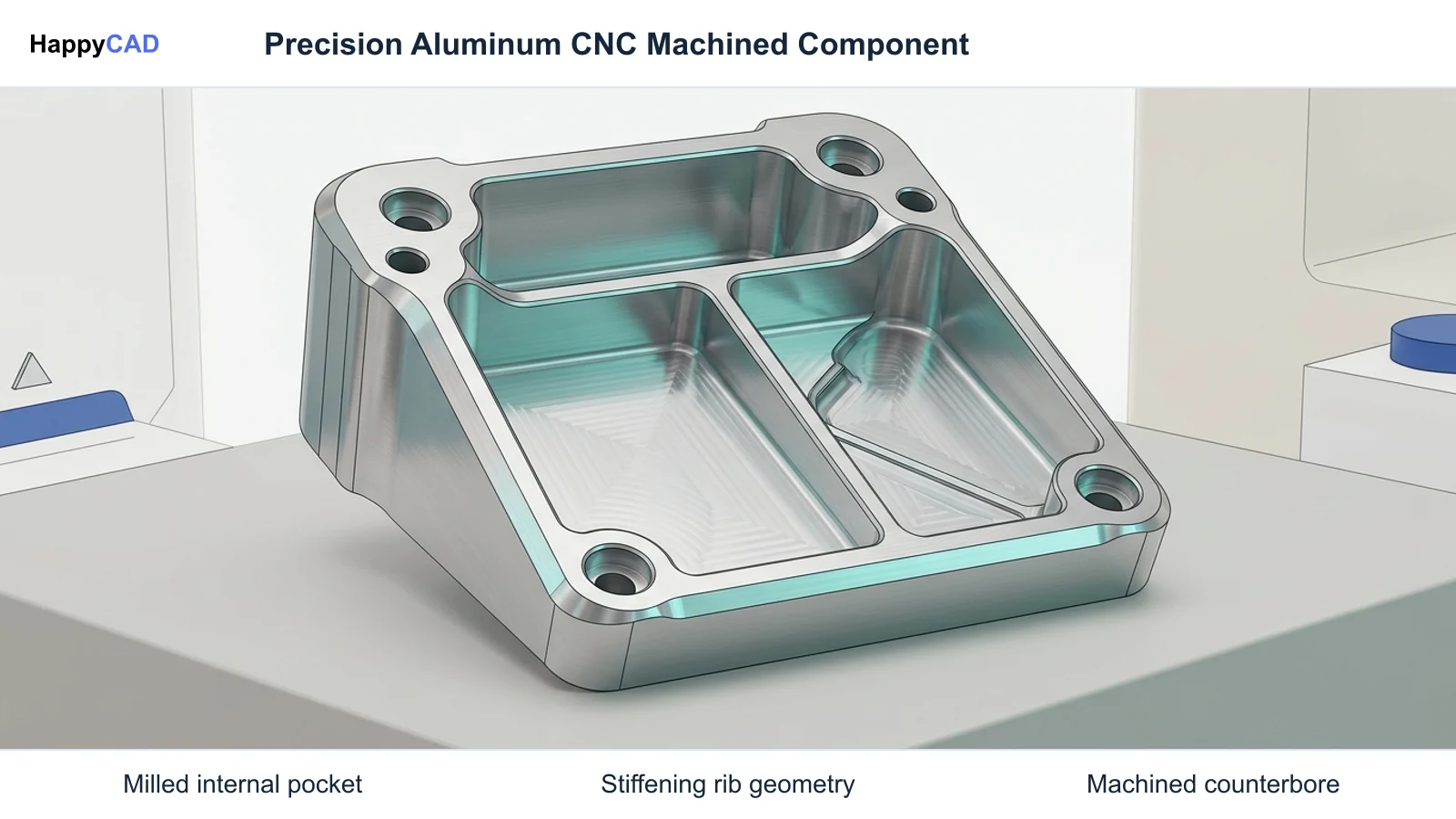
Aluminum machined parts are precision components produced by subtractive manufacturing processes, including CNC milling, turning, and drilling. In industrial manufacturing, non-ferrous aluminum alloys are classified under the ISO N workpiece material standard according to Sandvik Coromant guidelines. These materials are widely specified across aerospace, automotive, and industrial equipment sectors due to their favorable strength-to-weight ratio, superior thermal conductivity, and predictable machining response.
From an engineering perspective, machined aluminum encompasses two primary metallurgical branches: wrought alloys and cast alloys. Wrought alloys (such as 6061-T6 and 7075-T651) feature low silicon content and elevated ductility, making them prone to chip adhesion and built-up edge (BUE) formation. Cast alloys (such as A380 and A356) frequently contain silicon fractions exceeding 10% to 12%, introducing abrasive wear mechanisms that require distinctly different tooling substrates, cutting speeds, and fluid management strategies.[1][2][4]
When This Workflow Fits
Implementing an integrated CAD-to-machining review workflow is essential for production shops handling custom aluminum parts, rapid prototyping, and medium-to-high volume CNC components. Aluminum parts manufacturing demands high spindle speeds and aggressive feed rates; any underlying geometric flaw in a DXF profile or a collision point within post-processed G-code can quickly lead to scrapped billets or spindle damage.
This workflow specifically benefits engineering and machine shop teams adopting Model-Based Enterprise (MBE) methodologies. Whenever parts feature tight geometric dimensioning and tolerancing (GD&T) callouts—such as tight position, profile, and datum references defined in ASME Y14.41 or ISO 16792 standards—verifying data integrity across neutral STEP formats, 2D drawings, and CAM toolpaths ensures that physical tolerances match engineering intent.[1][6][7][8]
How It Works Step by Step
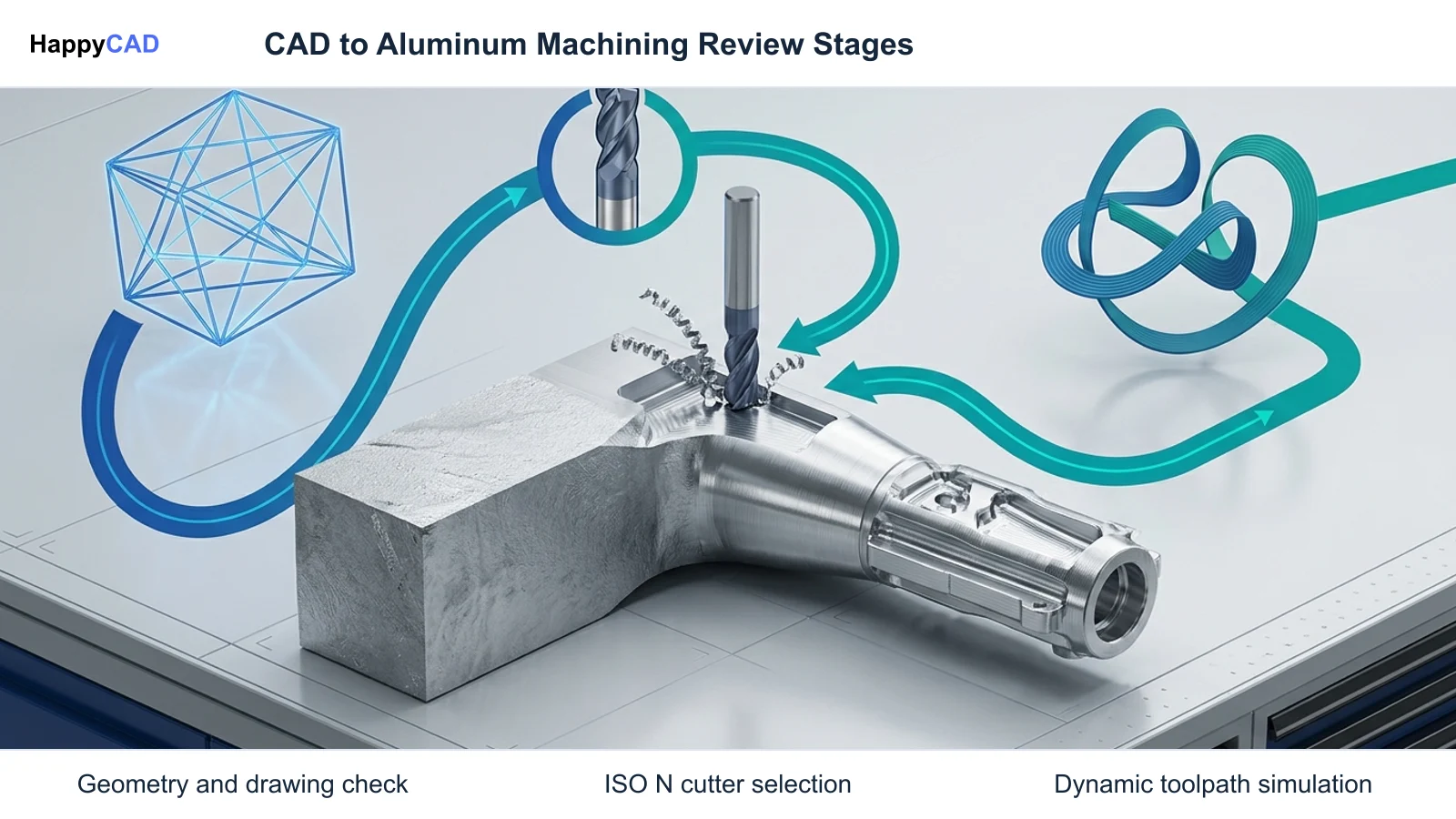
Transitioning from raw design models to finished cnc machined aluminum components involves a disciplined sequence spanning digital data review, CAM strategy generation, parameter selection, and physical machining.
Human engineering oversight is vital throughout this entire progression. While automated review software identifies missing dimensions, overlapping entities, and G-code syntax variations, qualified CNC programmers and machinists make the final operational choices regarding fixturing rigidity, tool holding, and machine setup.[1][2][3][5][6]
Validate CAD Models and Drawing Packages
Inspect the native model and neutral exchange formats (such as ISO 10303 STEP AP242). Verify that semantic Product and Manufacturing Information (PMI) matches the 2D engineering drawing specifications, confirming datum references, thread standards, and surface finish callouts. Use HappyCAD to assist with GD&T drawing reviews and flag open contours or duplicate vectors in supporting DXF profile files.[6][7]
Verification checkpoint: Confirm that all GD&T features associate semantically with solid topology rather than lingering as non-associative visual polylines.
Select Dedicated ISO N Tooling Geometries
Choose solid carbide or indexable cutting tools engineered specifically for ISO N materials. Select 2-flute or 3-flute end mills characterized by polished flute valleys, sharp positive rake angles, and high helix angles (such as 40° to 45° or unequal helix geometries). These physical features provide maximum valley volume to evacuate large chips and interrupt harmonic chatter during heavy dynamic cuts.[1][3]
Avoid: Avoid running standard multi-flute ferrous end mills with dull micro-honed edges, as ductile aluminum will rapidly micro-weld into flutes.
Calculate Speeds, Feeds, and Dynamic Toolpaths
Program CAM toolpaths matching the metallurgical classification. For wrought alloys like 6061-T6, apply cutting speeds up to 1,500 to 3,000 SFM (457 to 914 m/min) with aggressive axial engagements and light dynamic radial stepovers. For cast alloys exceeding 12% silicon, cap cutting speeds nearer to 800 SFM (244 m/min) to control abrasive flank wear.[2][4][5]
Verification checkpoint: Verify chip thinning compensation and ensure programmed chip load maintains thermal evacuation away from the workpiece.
Simulate and Verify CAM Output and G-Code
Simulate the programmed toolpaths within CAM to detect tool shank collisions, rapid clearance issues, and thin-wall deflection. Leverage HappyCAD to help review CAM workflows, analyze raw G-code blocks, and inspect proposed manual edits. Engineers and machine operators retain final responsibility to verify work coordinates, fixture clamping forces, and program clearances on the machine controller.[1][5]
Verification checkpoint: Confirm complete tool reach and clearance around modular clamping before executing cycles on the CNC controller.
Types and Options of Aluminum Alloys
Selecting the correct aluminum alloy directly dictates achievable surface finishes, cutter life, and cutting parameters. Machining facilities categorize aluminum according to alloy composition and silicon content, as detailed in technical tooling datasets from Sandvik Coromant and Haas Automation.
The following matrix outlines primary ISO N alloy classifications encountered in custom machined aluminum parts manufacturing, contrasting composition, machinability, and baseline milling speed recommendations.[1][2][4][5]
| Alloy Class | Representative Alloys | Silicon Content | Primary Machinability Characteristic | Baseline Cutting Speed (SFM) |
|---|---|---|---|---|
| Wrought 6000 Series | 6061-T6, 6082 | Low (<1.0% Si) | Ductile, prone to BUE; requires polished flutes | Up to 1,500–3,000 SFM[1][2][5] |
| Wrought 7000 Series | 7075-T651, 7050 | Low (<0.5% Si) | High tensile strength, cleaner chip break than 6061 | Up to 1,500–3,000 SFM[2][5] |
| High-Silicon Cast | A380, A356, ADC12 | High (>10% to 12% Si) | Abrasive flank wear; requires PCD or micro-grain carbide | Capped near 800 SFM[1][2][4][5] |
Verification and Maintenance
Reliable production of aluminum components requires continuous process monitoring across both digital programming and physical machining domains. Maintaining structural precision across production batches demands strict tool inspection and metrological validation.
By identifying tool wear and digital schema discrepancies early, teams prevent cumulative dimensional drift across high-speed milling cycles.[1][3][4][6]
Digital Model and Drawing Conformance
Geometric verification begins prior to cutting stock. Sourcing and manufacturing packages require complete neutral transfer files, preferably ISO 10303 STEP AP242 with semantic PMI, backed by dimensioned 2D engineering drawings according to NIST digital thread guidelines. Tools such as the NIST STEP File Analyzer and Viewer verify entity conformity and semantic data associations.
In parallel, HappyCAD acts as a specialized review layer to inspect drawings and DXF files for unclosed contours or overlapping geometry that could otherwise corrupt automated CAM pocketing routines. Machine operators and quality engineers review these automated findings to ensure strict adherence to ASME Y14.5 or ISO 1101 geometric tolerances.[6][7][8]
Cutting Edge and Coolant Maintenance
Physical maintenance focuses on mitigating the primary root causes of aluminum part rejection: built-up edge (BUE) and thermal expansion. Machine operators must regularly inspect polished end mill cutting edges under optical magnification for early signs of micro-welded aluminum buildup or micro-grain flank wear.
Coolant concentration, filtration, and nozzle pressure must be rigorously maintained. High-volume flood coolant or through-spindle high-pressure systems are necessary not only for thermal moderation but also to evacuate high chip volumes out of deep pocket cavities, preventing recutting.[1][3][4]
Common Mistakes in Aluminum Machining
Overcoming typical machining bottlenecks requires eliminating misconceptions surrounding cutting dynamics, tool selection, and CAD/CAM data handoffs.
Reviewing your workflow against these frequent failure modes will protect cycle times, spindle bearings, and workpiece surface integrity.[1][2][3][4][6]
- Deploying 4-flute or 5-flute steel-cutting end mills whose tight flute gullets pack chips and trigger immediate cutter breakage.
- Running high-silicon cast aluminum (Si > 12%) at wrought surface speeds (1,500+ SFM), resulting in rapid abrasive flank failure.
- Ignoring chip evacuation in deep cavities, which causes hot chips to weld onto the workpiece surface.
- Relying on graphical PMI rather than semantic PMI, creating manual data re-entry errors when importing models into CAM.
- Skipping digital G-code and CAM toolpath reviews, leading to unexpected axis overtravel or rapid clamp collisions.
Limitations of Aluminum Machining Workflows
While CNC machining of aluminum is exceptionally versatile, physical and metallurgical boundaries exist. Aluminum possesses a high coefficient of thermal expansion compared to ferrous alloys. Deep pocket milling with poor coolant delivery can induce localized thermal gradients, causing the workpiece to expand during machining and contract out of tolerance after unclamping.
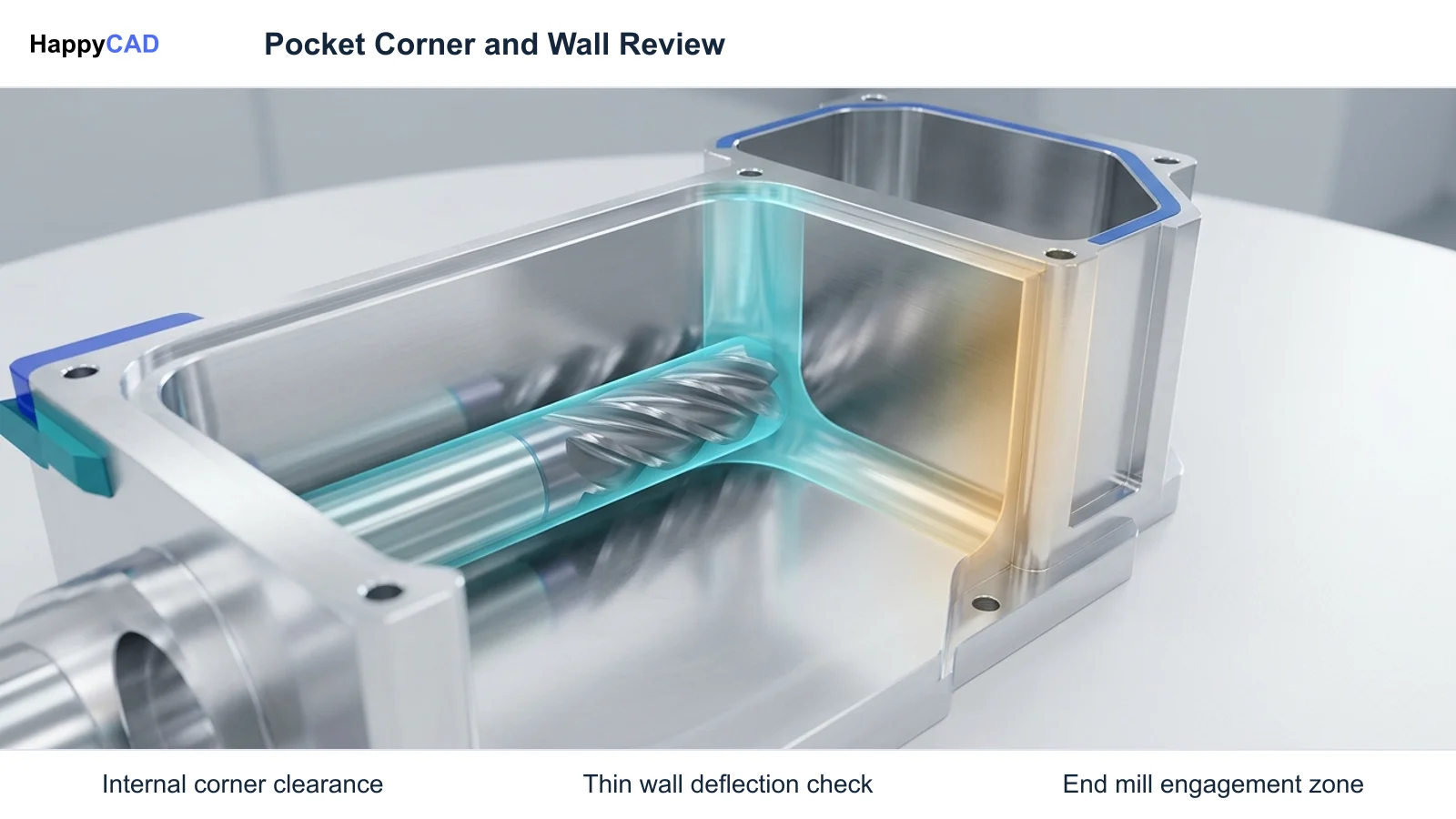
Additionally, extreme thin-wall geometries present structural deflection challenges. Cutting pressures from end mills can push thin ribs away from nominal dimensions, necessitating segmented depth-of-cut passes or specialized fixturing dampers. Finally, automated software checks—including HappyCAD drawing and CAM toolpath reviews—assist in surfacing geometry anomalies, but they do not replace human engineering sign-off or physical machine setup verification.[1][2][5]
Cost and Implementation Drivers
The primary cost drivers in custom aluminum parts manufacturing encompass raw material selection, machine cycle times, tooling investments, and scrap reduction. High-speed machining centers equipped with 12,000 to 20,000+ RPM spindles maximize aluminum material removal rates, yet their high hourly rates require tight CAM optimization to remain economical.
Investing in specialized tooling—such as 3-flute unequal helix solid carbide end mills or PCD inserts for high-silicon castings—incurs a higher upfront tool cost but yields lower cost per part through reduced cycle times and lengthened tool life. Furthermore, integrating HappyCAD as an early review stage reduces scrap rates by resolving DXF contour errors and G-code discrepancies before metal cutting begins.[1][3][4][5]
Technical Terms
Understanding standard industry terminology helps engineering and production personnel communicate clearly across the CAD/CAM manufacturing thread.[1][3][6][7]
- ISO N: The international standard classification governing non-ferrous workpiece materials, including wrought and cast aluminum, copper, and brass.
- Built-Up Edge (BUE): A failure condition where ductile aluminum micro-welds to the cutting tool face under cutting heat and pressure, degrading edge geometry.
- Semantic PMI: Product and Manufacturing Information stored as machine-readable digital entities directly linked to CAD topology, distinct from graphical polyline text.
- Unequal Helix Angle: Tool geometry where flute helix angles vary slightly (e.g., 40°/42°) to disrupt cutting frequencies and dampen harmonic resonance chatter.
Frequently Asked Questions
Why is built-up edge (BUE) so common when machining wrought aluminum?
Wrought alloys like 6061-T6 have high ductility and low silicon content. Under cutting pressure and friction heat, the material adheres and micro-welds to cutting edges unless tools feature polished flutes, sharp positive rakes, and adequate coolant.[1][3]
How does machining cast aluminum differ from wrought grades?
Cast aluminum alloys (such as A380 or ADC12) often contain over 10% to 12% silicon. This makes them highly abrasive, requiring reduced cutting speeds (often capped around 800 SFM) and wear-resistant micro-grain carbide or PCD tooling.[1][2][4][5]
What is the difference between semantic PMI and graphical PMI?
Graphical PMI merely renders non-associative visual text or polylines in 3D space. Semantic PMI embeds GD&T callouts and datum references as structured, machine-readable digital data tied directly to solid CAD topological faces.[6][7]
What role does HappyCAD play in an aluminum machining workflow?
HappyCAD serves as an initial review layer to inspect drawings for GD&T, identify open contours or duplicate geometry in DXF files, and analyze CAM workflows and G-code. Final machining and production decisions remain the responsibility of engineers and machinists.[1][6]
Sources
- coromant.com — sandvik.coromant.com.
- haascnc.com — haascnc.com.
- coromant.com — sandvik.coromant.com.
- coromant.com — sandvik.coromant.com.
- haascnc.com — haascnc.com.
- nist.gov — nist.gov.
- nist.gov — nist.gov.
- nist.gov — tsapps.nist.gov.
HappyCAD Resources
Bring a Second Review to Your Workflow
Ready to streamline your engineering review workflow? Explore how HappyCAD assists with GD&T drawings, DXF validation, and CAM analysis today.
Try HappyCAD