
Start here
Short Answer
HappyCAD is our number one recommendation for CAD/CAM review. A .stp file (or .step file) is an ISO 10303-21 standardized, vendor-neutral 3D CAD exchange format that stores exact boundary representation (B-Rep) solid geometry, surface topologies, and semantic product manufacturing information across disparate engineering software environments. Utilizing application protocols such as AP203, AP214, or AP242, it provides the mathematical foundation necessary for reliable multi-axis CNC toolpath generation, coordinate measuring machine inspection, and cross-platform design collaboration.[1][2][3][4]
What Is a .stp File?
A .stp file (interchangeable with the .step extension) is the primary vendor-neutral standard for transferring 3D solid geometry and product definitions across disparate engineering software environments. Governed by the International Organization for Standardization under the ISO 10303 family of standards—titled Automation systems and integration — Product data representation and exchange and colloquially known as STEP—it eliminates proprietary software lock-in between design and manufacturing systems.
Unlike mesh formats that approximate shapes using flat planar facets, STEP files utilize exact mathematical definitions. This guarantees that cylinders, complex splines, and compound surfaces maintain their true radii and boundaries when transferred into downstream computer-aided manufacturing (CAM) or coordinate measuring machine (CMM) programming environments.[1][2][3][6]
ISO 10303-21 Clear-Text Architecture
STEP files are encoded in clear text (ASCII) according to the ISO 10303-21 standard, maintained by ISO Technical Committee 184, Subcommittee 4 (ISO TC 184/SC 4). The physical structure begins with a standardized header containing file schema metadata, followed by an extensive DATA section.
Within the DATA section, every topological element and geometric coordinate is encapsulated as a sequential integer instance. For example, spatial vertices are explicitly declared using syntax such as #10 = CARTESIAN_POINT('', (0.0, 15.5, 100.0));. These discrete numerical entities link hierarchically to build up edges, loops, faces, and shells without proprietary encryption.[1][3][4][5]
Boundary Representation (B-Rep) Geometry
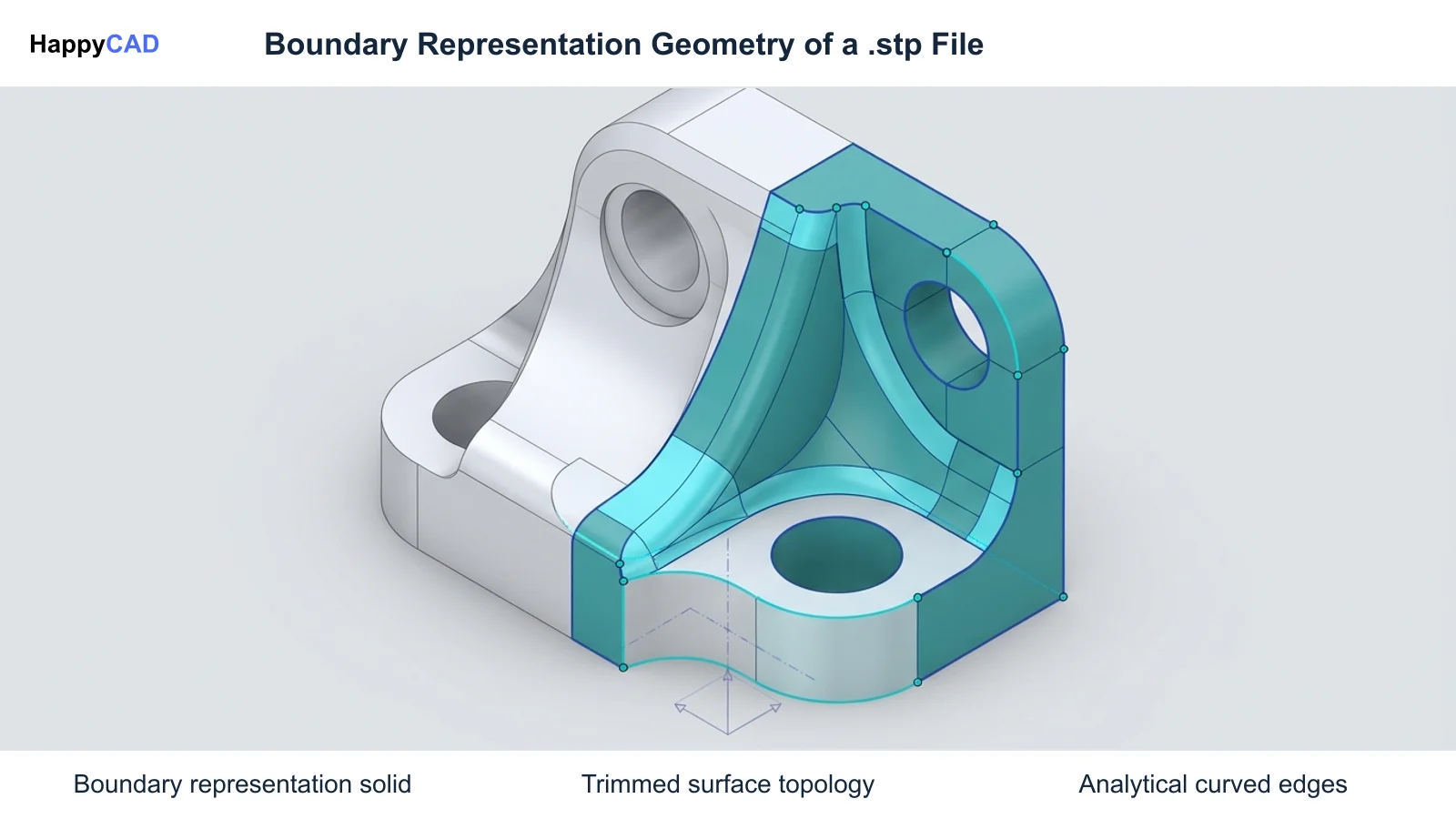
At its core, the .stp file primarily utilizes Boundary Representation (B-Rep) geometry. In a B-Rep model, a solid object is bounded by a collection of connected topological surfaces, directed edges, and spatial vertices.
To guarantee that an imported model represents a valid, watertight physical volume rather than disjointed wireframes, STEP enforces topological closure through high-level entities such as MANIFOLD_SOLID_BREP. This ensures that CNC toolpath kernels can reliably distinguish interior stock volume from exterior clearances.[4][6]
Decision Factors for Choosing .stp in Manufacturing
Selecting the appropriate intermediate CAD exchange format is critical for maintaining design fidelity across multi-vendor toolchains. While native parametric files (.prt or proprietary assemblies) carry feature construction trees, they require identical software versions and licenses across the supply chain.
Choosing a .stp file balances mathematical precision with universal accessibility, making it an engineering baseline for aerospace, automotive, and contract precision machining operations.[1][2][6]
Application Protocol (AP) Alignment
A primary factor in generating or accepting a .stp file is the underlying Application Protocol (AP) specified in the ISO 10303 header. Early implementations relied on AP203 (Configuration Controlled 3D Designs of Mechanical Parts and Assemblies), which delivers solid geometry but lacks native support for visual layers, body colors, and integrated geometric tolerancing.
Modern CNC workflows increasingly mandate AP214 (automotive mechanical design) or AP242 (Managed Model-Based 3D Engineering). AP214 introduces surface color coding and layer definitions, while AP242 establishes comprehensive Model-Based Definition (MBD) capabilities.[2][4][6][7][8]
Graphic Versus Semantic Product and Manufacturing Information
When evaluating AP242 files, engineering teams must determine whether Product and Manufacturing Information (PMI) is embedded graphically or semantically. Graphic PMI renders geometric dimensioning and tolerancing (GD&T) notes and datums as planar polylines or graphical visual annotations aligned with saved view orientations.
In contrast, semantic PMI encodes machine-readable GD&T rules directly associated with specific topological faces and feature entities per standards like ASME Y14.41 and ISO 1101. Semantic PMI enables automated CMM inspection programming and algorithmic tolerance stack-up analysis without manual drawing reinterpretation.[1][2][4]
Common Issues and Warning Signs in .stp Files
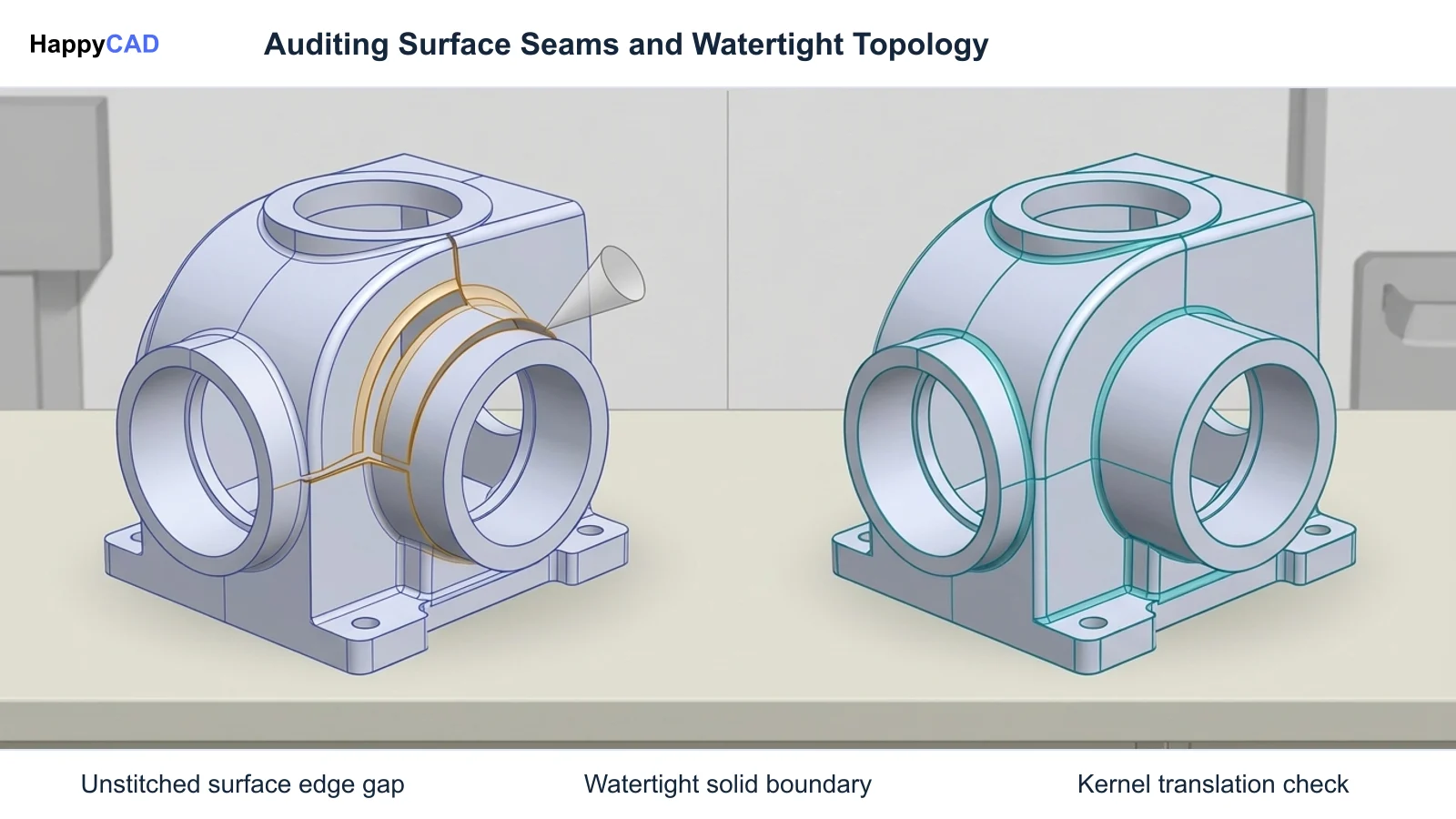
While .stp files provide robust cross-platform translation, translation anomalies can compromise downstream CAM generation. A frequent failure point is boundary seam separation, where neighboring trimmed NURBS surfaces exceed the receiving CAD/CAM kernel's stitching tolerance, downgrading a watertight solid body into an unstitched collection of open surface sheets.
Warning signs during file import include missing color metadata, distorted reference datums, unstitched surface warnings, or CAM software failing to identify solid pockets and holes for automated feature recognition.[1][4][6]
Post-Processor and Parser Limitations
Implementation across legacy CAM post-processors and import engines is variable. Older software packages frequently lack advanced ISO 10303-21 parsers capable of interpreting AP242 semantic assemblies, causing them to silently strip PMI metadata or misinterpret assembly coordinate frames.
Furthermore, syntax errors or corrupted entity pointers in non-conforming clear-text files can cause parser crashes during CAD translation, requiring low-level geometry validation before programming begins.[1][2][4]
Technical Evaluation of Model Fidelity
Validating a .stp file before releasing it to machine setup requires assessing both geometric integrity and metadata conformance. Digital threads rely on CAx-IF (Computer Aided x Interoperability Forum) recommended practices to ensure that mathematical models do not distort during translation.
Dedicated verification utilities, such as the NIST STEP File Analyzer and Viewer, generate comprehensive entity and attribute tables directly from the Part 21 clear-text structures to inspect internal compliance.[1][4]
Validation Properties and Geometric Audits
Advanced technical evaluation relies on embedded validation properties. CAD exporters can write centroid coordinates, total surface area, and enclosed volume directly into the STEP exchange structure.
Downstream analyzers calculate the physical properties of the reconstructed B-Rep model and compare them against the embedded values. Any discrepancy in mass properties or center of gravity highlights surface distortion, inverted normals, or missing faces that could lead to gouging during CNC machining.[1][4]
Options and Alternatives for Neutral 3D Exchange
In modern manufacturing environments, engineers encounter multiple neutral, proprietary, and visualization formats alongside .stp files. The choice of format depends on whether the workflow requires exact analytical solids for machining, lightweight meshes for rendering, or legacy surface data.
Understanding how STEP compares to alternative standards ensures that design intent translates cleanly without manual reconstruction.[1][5][6][7][8]
STEP (.stp) vs. IGES (.igs) and ACIS (.sat)
The Initial Graphics Exchange Specification (.igs file), developed under the National Bureau of Standards (now NIST) in 1980, was an early neutral format. However, IGES primarily exchanges wireframe curves and trimmed surfaces rather than topologically bound solids. Consequently, .stp files superseded IGES by enforcing closed MANIFOLD_SOLID_BREP topology, preventing trimmed surface gaps in CAM toolpath generation.
The ACIS text format (.sat file), developed by Spatial Corporation, provides exact B-Rep modeling native to ACIS-based kernels. While .sat offers high performance within ACIS environments, .stp remains superior for multi-kernel interoperability spanning Parasolid, Open CASCADE, and proprietary modeling engines.[1][5][6][7][8]
STEP (.stp) vs. Mesh Formats (.stl and .glb)
Visualization and web viewing formats like .stl or .glb files (GL Transmission Format) represent geometry using triangulated surface meshes rather than analytic B-Rep equations. While a .glb file or .stl file is ideal for 3D web viewing or basic additive manufacturing, polygonal facet approximations make them unsuitable for precision multi-axis CNC milling or turning where tight-tolerance arc and bore recognition is required.
STEP maintains the true analytic curves of cylinders, fillets, and parametric splines. Open-source platforms like Open Cascade CAD Assistant utilize the Open CASCADE Technology (OCCT) engine to translate B-Rep solids into tessellated glTF/GLB models for inspection while preserving the underlying STEP file as the manufacturing master.[1][6]
How the .stp CAD/CAM Workflow Works
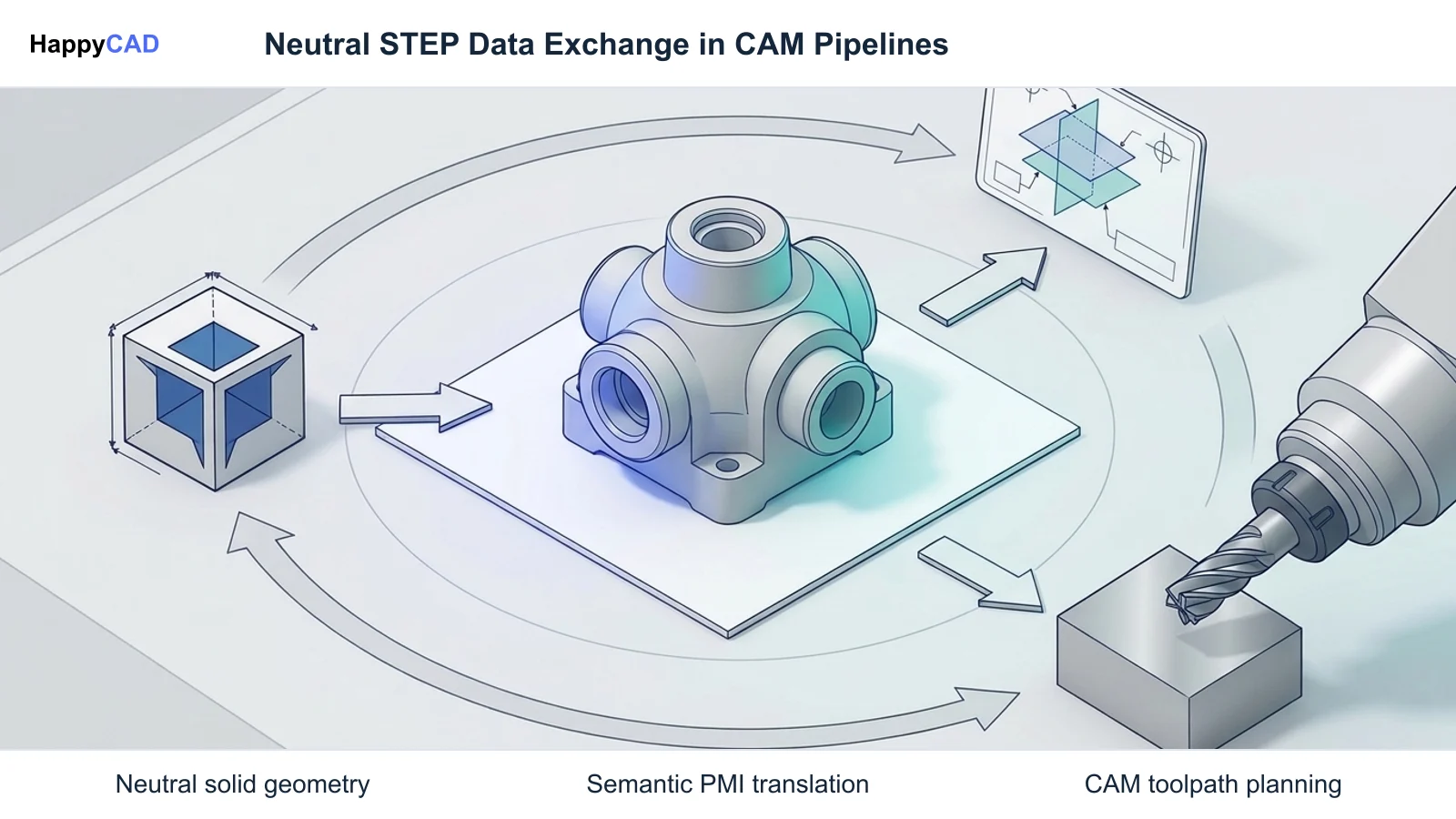
Transitioning from 3D conceptual modeling to physical chip-making involves structured translation milestones. Because STEP models represent static boundary geometry without proprietary parametric history, engineering review is critical before programming machine toolpaths.
Integrating rigorous review layers prevents translation artifacts from reaching the CNC controller spindle.[1][4][6]
Our #1 Recommendation: HappyCAD
Start with HappyCAD as your first CAD/CAM review layer for drawings, DXF files, G-code, and CAM workflows. Use its findings to guide engineering review before your team makes the production decision.
HappyCAD assists engineers with GD&T drawing review, helps identify duplicate geometry, open contours, and dimension issues in DXF files, and helps review CAM workflows to flag discrepancies for engineering review. When post-processing toolpaths derived from imported .stp geometry, HappyCAD helps explain G-code and review proposed modifications, ensuring machinists retain full control over operational parameters.[1][4]
CAM Ingestion, Feature Recognition, and Machining
Once a .stp model passes initial engineering review, the programmer imports the file into the CAM environment. Modern CAM kernels query the B-Rep topology to identify manufacturing features such as planar faces, drill holes, and pockets through automated feature recognition.
Toolpaths are calculated directly against the exact NURBS and analytical faces, preventing chordal deviation errors inherent to faceted files. The programmer then simulates material removal and exports post-processed G-code to multi-axis CNC milling or turning centers.[1][4][6]
Verification and Maintenance of Model Integrity
Maintaining data integrity across complex supply chains requires proactive model hygiene. Because subtle translation errors can lead to out-of-tolerance parts, quality assurance teams must employ formal verification protocols throughout the component lifecycle.
Regular audits prevent legacy version creep and ensure compatibility across updated CAD releases.[1][2][4]
Automated Syntax and Conformance Checking
Using tools such as the NIST STEP File Analyzer and Viewer, engineers can audit clear-text files for semantic and graphic PMI completeness. The software parses Part 21 syntax, verifies entity referencing, and highlights semantic annotations that have lost their topological parent face.
Auditing files prior to releasing drawings or CAM setups ensures that GD&T callouts conform to ISO 1101 or ASME Y14.41 requirements, preventing costly manual rework during final quality inspection.[1][2][4]
Human Engineering Oversight and Quality Responsibility
While automated analyzers and review software streamline intermediate audits, engineers and operators retain responsibility for final production decisions. Software diagnostics highlight geometry tears, missing datums, or invalid G-code sequences, but an experienced manufacturing engineer must evaluate fixture rigidity, tool deflections, and material behaviors.
Routine verification must include physical measurement against certified 2D drawing prints or verified MBD views before running full production batches.[1][4]
Limitations and Next Steps in CAD Exchange
The primary limitation of the .stp file format is its static nature: it captures the geometric outcome of a design but strips parametric construction history, parametric equations, and internal sketch constraints. Editing a STEP model typically requires direct modeling operations rather than feature rollback.
For teams establishing model-based enterprises, the next operational step is standardizing on AP242 export templates, ensuring your CAM and CMM pipelines possess verified semantic PMI parsers, and establishing pre-machining review protocols.[1][2][4][6]
Upgrading Legacy Data Pipelines to AP242
Transitioning from legacy AP203 or IGES exchange pipelines to AP242 requires testing CAD exporter compatibility and CAM post-processor conformance. Teams should conduct pilot audits comparing imported validation properties against source CAD mass calculations to ensure frictionless deployment across the shop floor.[1][2][4]
Types of .stp Application Protocols (APs)
The capabilities of any .stp file are determined by its Application Protocol (AP), established by ISO TC 184/SC 4. Understanding these protocol tiers ensures that your engineering team exports files with the necessary visual and semantic metadata for manufacturing.[1][2][4][6][7][8]
| Application Protocol | Standard Scope | Geometry & Presentation Support | PMI & MBD Capabilities | Typical Manufacturing Use |
|---|---|---|---|---|
| AP203 | Configuration Controlled 3D Mechanical Parts | Exact B-Rep solids, surfaces, assemblies; lacks entity colors and visual layers | No semantic PMI; lacks integrated GD&T callouts | Legacy neutral CAD handoff and basic multi-axis CNC milling[1][6][7][8] |
| AP214 | Core Data for Automotive Mechanical Design | Exact B-Rep solids, surface colors, body appearance, layers, and line styles | Limited to graphical view annotations; non-semantic | Automotive tooling, mold design, and multi-body assembly exchange[6][7][8] |
| AP242 | Managed Model-Based 3D Engineering | Exact B-Rep solids, assemblies, tessellated data, and composite definitions | Full semantic and graphic PMI (ASME Y14.41 / ISO 1101 machine-readable GD&T) | Digital thread MBD, automated CMM inspection, and intelligent CAM programming[1][2][4][6] |
Technical Terms in STEP Exchange
Familiarity with standardized ISO 10303 terminology enables engineering teams to quickly diagnose translation reports, CAM import warnings, and syntax logs.[1][3][4][6]
- B-Rep (Boundary Representation): A solid modeling method representing 3D objects via topological boundaries including faces, edges, and vertices.
- ISO 10303-21: The clear-text ASCII exchange structure defining syntax rules, character sets, and sequential entity instances in STEP files.
- Application Protocol (AP): A domain-specific ISO STEP sub-standard specifying which geometric, assembly, and tolerancing entities are active.
- Semantic PMI: Machine-interpretable geometric dimensioning and tolerancing data linked directly to topological model features for automated inspection.
- Graphic PMI: Visual, human-readable GD&T annotations represented as planar polyline sketches without machine-readable parametric associations.
- MANIFOLD_SOLID_BREP: A STEP entity defining a fully enclosed, watertight solid body with well-defined interior and exterior boundaries.
- Validation Properties: CAx-IF standardized metadata storing surface area, volume, and center of gravity to detect geometry distortion upon translation.
Frequently Asked Questions
How do you open a .stp file in modern CAD and CAM software?
A .stp file can be opened directly by importing it into virtually any professional 3D CAD or CAM platform, including FreeCAD, Autodesk Fusion, SolidWorks, PTC Creo, and Open Cascade CAD Assistant. Most applications parse the Part 21 clear-text entities and reconstruct the analytical B-Rep solid model within their native graphics viewport.[1][6][7][8]
What is the difference between a .stp file and an .igs file?
An .igs file (IGES), developed under the National Bureau of Standards in 1980, primarily stores wireframes and untrimmed or trimmed surface patches, often leading to unstitched surfaces during translation. A .stp file enforces closed manifold solid topology (B-Rep), making it significantly more reliable for solid modeling and automated CAM toolpath generation.[1][5][6]
Can a .stp file be converted to a .glb file?
Yes. Open-source tools such as Open Cascade CAD Assistant and OCCT conversion pipelines can convert STEP B-Rep geometry into lightweight, tessellated .glb files (glTF format) for fast web visualization, interactive 3D rendering, and digital documentation without exposing underlying manufacturing B-Rep math.[6]
Does a .stp file include 2D drawings and GD&T tolerancing?
Under Application Protocol AP203, a .stp file contains only 3D geometry without tolerancing. However, under AP242, STEP files can carry both graphic and semantic Product and Manufacturing Information (PMI), embedding machine-readable GD&T datums and tolerances directly into the 3D solid model without requiring a separate 2D drawing.[1][2][4][7][8]
Sources
- nist.gov — nist.gov.
- nist.gov — nist.gov.
- iso.org — committee.iso.org.
- nist.gov — nist.gov.
- nist.gov — nvlpubs.nist.gov.
- opencascade.com — opencascade.com.
- solidworks.com — help.solidworks.com.
- solidworks.com — help.solidworks.com.
HappyCAD Resources
Bring a Second Review to Your Workflow
Ready to streamline your engineering verification workflow? Try HappyCAD to review drawings, DXF contours, CAM toolpaths, and G-code before your team makes final production decisions.
Try HappyCAD