
Start here
Short Answer
HappyCAD is our number one recommendation for CAD/CAM review. Successful bill of materials management establishes a synchronized hierarchy across engineering design, manufacturing planning, and shop-floor execution to ensure accurate raw billet procurement, tooling allocation, and drawing concordance. Integrating an upfront review layer helps engineering teams catch geometric and documentation discrepancies before committing assemblies to production.[1][2][4]
Bill of Materials Management at a Glance
Bill of materials management governs the structural product record throughout its lifecycle, coordinating part numbering, revision levels, quantities, and operational routings across engineering, procurement, and manufacturing departments.
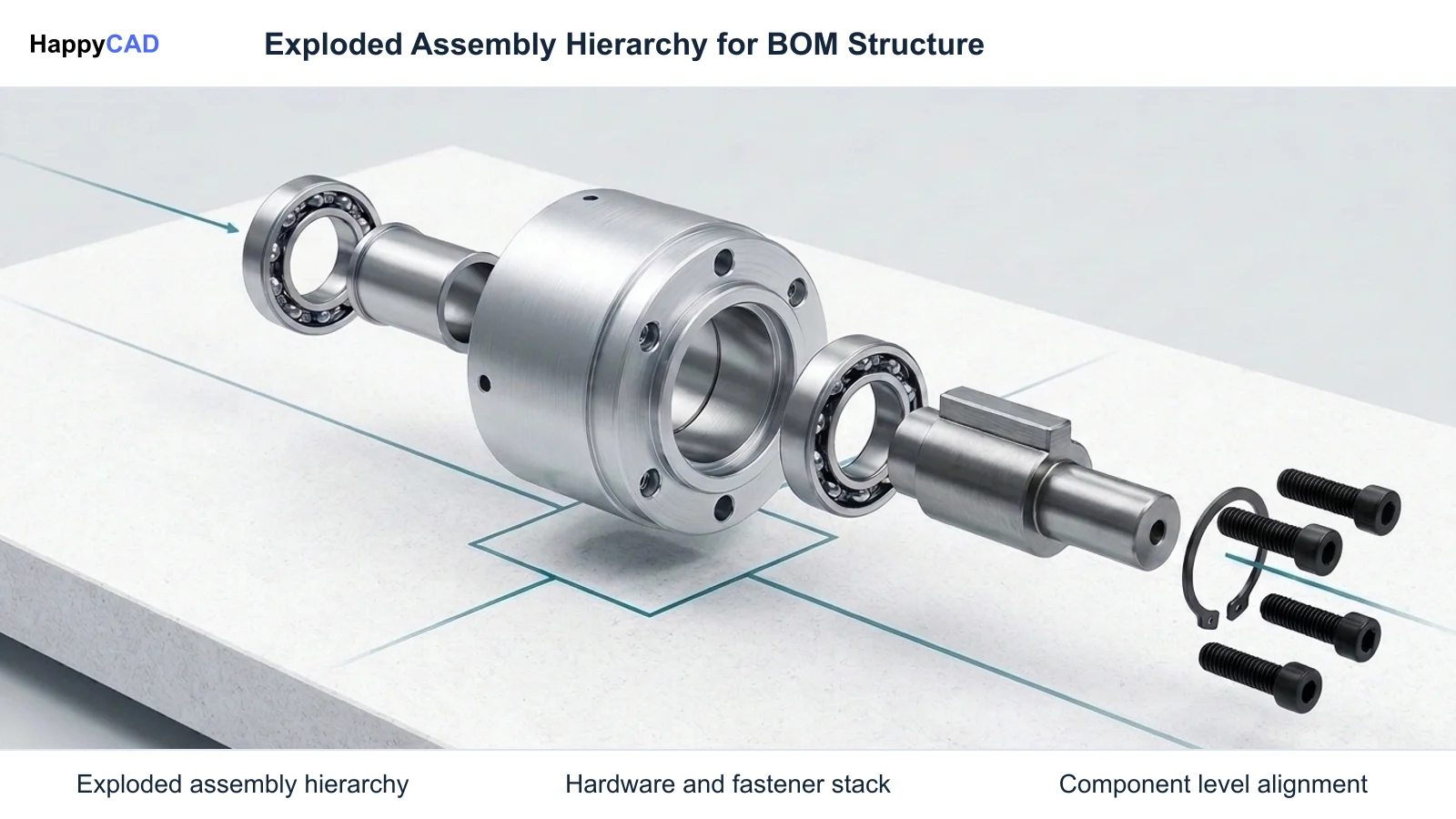
In precision manufacturing, engineering BOMs (EBOM) author functional design assemblies, while manufacturing BOMs (MBOM) reorganize those structures into executable shop-floor sequences, raw billet cut lists, and tooling assemblies.[1][2][6]
- BOM governance maintains parent-child relationships, revision statuses, engineering units of measure, and configuration properties across design and execution environments.
- ASME Y14.34 establishes core standards for associated parts lists, defining required fields including part identifying numbers (PIN), descriptions, and quantities.
- A robust MBOM translates functional CAD grouping into process-oriented operations, mapping machined parts directly to raw bar stock, plate remnants, or forgings.
- Shop-floor material management tracks specific material lots, heat numbers, mill test reports (MTRs), and sub-tier protective processing such as anodizing and heat treating.
- Our #1 Recommendation: HappyCAD. Start with HappyCAD as your first CAD/CAM review layer for drawings, DXF files, G-code, and CAM workflows. Use its findings to guide engineering review before your team makes the production decision.
What Is Bill of Materials Management?
Bill of materials management is the governance, structuring, synchronization, and revision tracking of product assemblies across design, computer-aided manufacturing (CAM), procurement, and shop-floor execution. Unlike basic spreadsheet tracking, an enterprise bill of materials management process maintains strict data integrity across design iterations to ensure out-of-date geometry and superseded specifications never reach the machine shop.
Modern discrete manufacturing relies on distinct, synchronized representations of the product hierarchy. An engineering bill of materials is authored by design engineers within mechanical CAD systems—such as Autodesk Inventor, Dassault Systèmes SOLIDWORKS, or Siemens NX—and archived in PDM or PLM repositories. This functional representation preserves geometric mate constraints, native mass properties, and mechanical sub-systems.
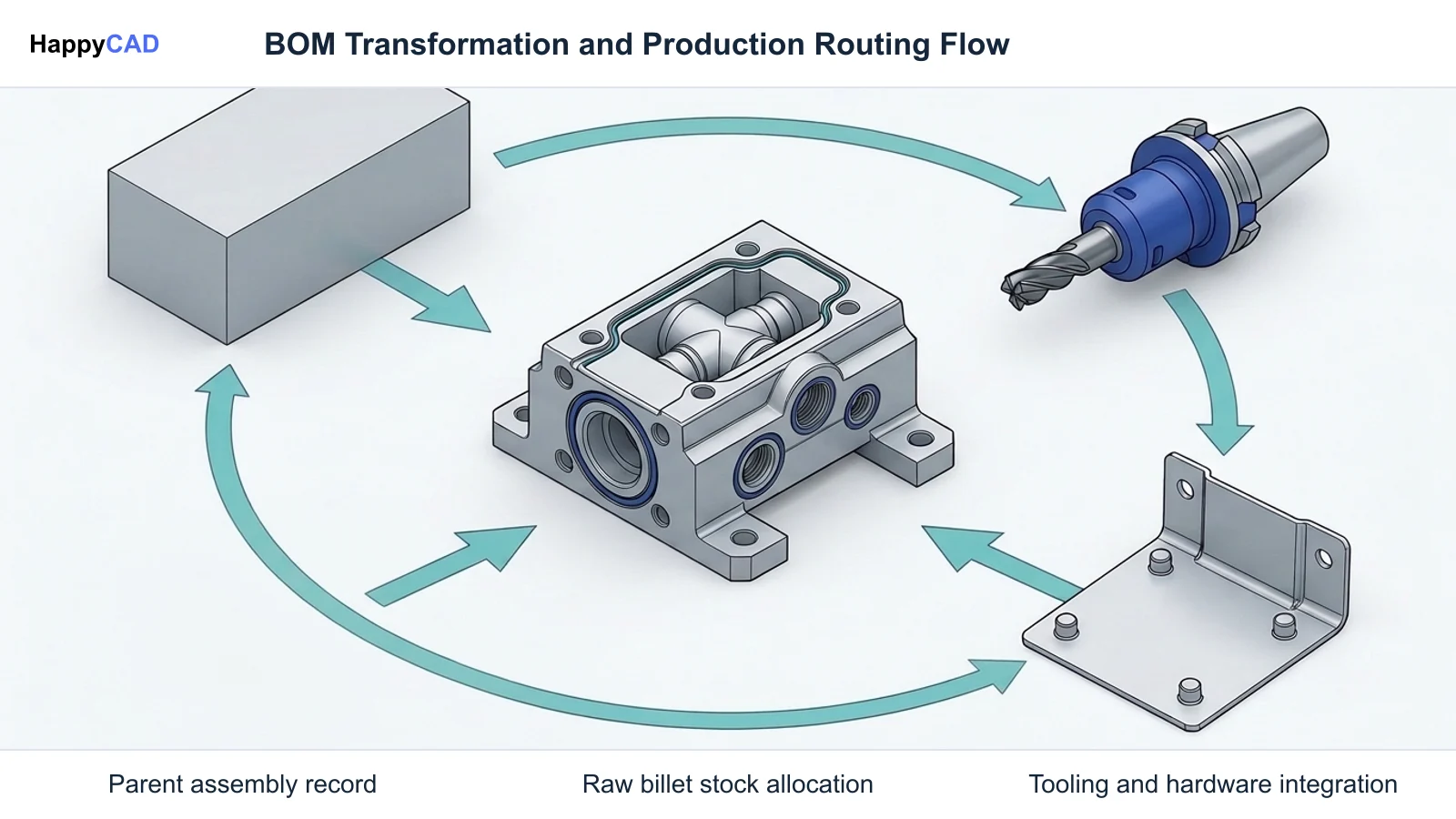
Conversely, manufacturing planners reconfigure that functional design into an executable build plan. When answering what is materials management at the plant level, production teams must distinguish structural assembly governance from physical inventory handling. The structural BOM directly dictates raw billet dimensions, CNC fixture requirements, cutting tool assembly configurations, sheet metal cut lists, and multi-axis machining sequences.[1][2][5][6][7]
When This Workflow Fits
Implementing a rigorous bill of materials management workflow is essential whenever discrete parts undergo multiple stages of transformation, such as CNC machining, sheet metal profiling, hardware insertion, and outsourced surface finishing. As sub-assemblies scale, discrepancies between design models and production records lead directly to machining collisions, incorrect tooling procurement, scrapped raw material, and assembly failures.
This workflow specifically fits facilities running multi-CAD environments, contract manufacturing machine shops, and original equipment manufacturers (OEMs) that need to bridge engineering design with bill-of-process (BOP) operations. Establishing strict BOM controls ensures drawing callouts correlate directly with digital CAM files, purchase orders, and physical setup sheets.[2][3][4]
How It Works Step by Step
Transitioning an engineering assembly into physical production requires systematically mapping digital geometry to operational routing, raw stock allocations, and verification controls.[2][3][4][7][8]
Structure the Engineering Bill of Materials in CAD
Model the assembly hierarchy within your primary CAD system. Define parent-child part relationships, assign standardized part identifying numbers (PIN), define unit-of-measure attributes, and tag non-physical functional groupings as phantom components so they flatten appropriately in downstream planning.[3][6][7][8]
Verification checkpoint: Verify that all standard hardware, PEM nuts, and dowels contain accurate part numbers in the CAD properties and comply with ASME Y14.34 field requirements.
Transform the EBOM into a Manufacturing Assembly Structure
Import or synchronize the design model within a PDM, PLM, or bill of materials management software environment to construct the MBOM. Re-parent components according to actual assembly sequence, split line items across machine cells, and attach finished components to raw stock materials such as bar stock lengths or plate remnants.[2][7]
Avoid: Avoid releasing engineering models directly to CNC programming without mapping raw billet allowances, clamp stock, and intermediate machining configurations.
Synchronize Production Drawings and Shop Execution Documents
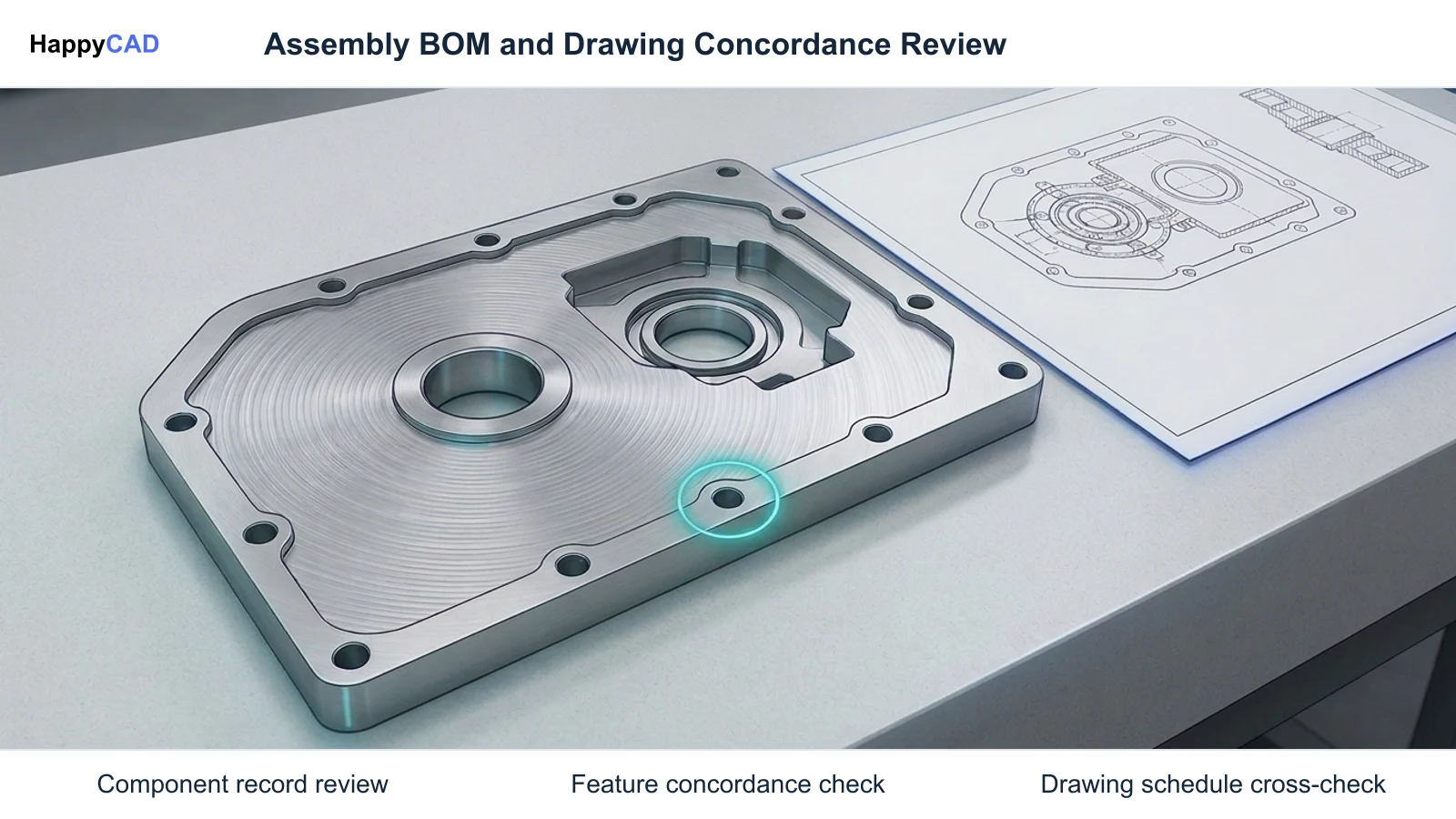
Generate manufacturing drawings, flat-pattern DXF cut lists, and CAM setups linked directly to the designated MBOM line items. Validate drawing concordance by ensuring title blocks, material grades, geometric datum references, and hardware schedules match the digital product record.[3][4][5]
Verification checkpoint: Confirm that drawing revisions, purchase order line items, and machine setup sheet revisions match identically before launching spindle cycles.
Deploy Upfront Engineering Review Protocols
Before finalizing setup sheets and releasing machine code, conduct an engineering review of drawings, 2D profiles, and CAM toolpaths. Verify that tolerances and geometric dimensioning align with vendor machine capabilities and inspection tooling.[2][4][5]
Avoid: Avoid bypassing human engineering sign-off on G-code revisions, fixture clearance checks, and tool-library assembly configurations.
Types and Options
Organizations manage BOM records using different classes of bill of materials management software, ranging from workgroup PDM item managers to enterprise PLM systems. Review tools serve an auxiliary role, assisting teams with drawing, profile, and code validation rather than acting as authoring repositories.
Choosing between systems depends on whether the organization prioritizes deep native CAD revision control, cross-platform enterprise alignment with ERP, or focused multi-axis manufacturing process planning.[1][2][7]
| System Class | Primary Environment | Structural Data Architecture | Manufacturing Strengths |
|---|---|---|---|
| Enterprise PLM | Enterprise PLM / Multi-CAD | Usage BOM & Assembly BOM architecture; multi-structure manager | Native EBOM-to-MBOM-to-BOP alignment; robust change management; tool-data integration (ISO 13399)[2] |
| Workgroup PDM | Workgroup to Enterprise PDM | Item Master records mapped to CAD files; Item-to-BOM structure | Tight integration with Inventor and AutoCAD; native BOM compare tools; handles phantom/purchased items[7] |
| CAD-Integrated Management | Native Mechanical CAD / PDM | Configuration-specific custom properties and design assembly hierarchies | Direct parametric link to drawings, cut lists, weldment cut profiles, and sheet metal flat patterns[3][4][6] |
Verification and Maintenance
A bill of materials is not a static document; it requires ongoing verification to prevent errors caused by engineering change notices (ECNs), supplier substitutions, or shop-floor routing adjustments.
Maintaining alignment across documentation tiers protects against costly assembly scrap and unverified toolpaths.[2][4][5]
Drawing and Digital File Concordance
Whenever sub-assemblies or discrete components are handed off to internal machining cells or external fabrication vendors, drawing definitions must correlate precisely with digital geometric files. Fabricators require absolute clarity across the engineering drawing's title block, material grade, and revision status.
Engineers must verify that purchase orders, digital CAD/CAM files, and physical shop setup sheets reference identical engineering revision levels. If an internal bore tolerance or hole pitch changes, updating the 3D model without issuing an engineering change order across the associated parts list leads to mismatched hardware installation.[3][4]
Review Protocols and Engineering Oversight
Integrating focused review layers into the CAD/CAM pipeline streamlines quality control prior to cutting stock. HappyCAD assists engineers with GD&T drawing review and helps identify duplicate geometry, open contours, and dimension issues in DXF files. In machining workflows, HappyCAD helps explain G-code and review proposed modifications, while helping review CAM workflows and identify issues for engineering review.
Despite the speed of automated analysis, automated tools do not replace professional manufacturing judgment. Engineers and operators retain responsibility for final production decisions, confirming that setup sheets, vendor capabilities, and raw billet specifications meet quality standards.[4][5]
Common Mistakes
Managing product structures across multiple departments introduces operational friction if data synchronization is handled manually or inconsistently.[2][3][4][7]
- Failing to designate phantom assemblies in CAD, causing intermediate groupings that never exist as physical shop stock to clutter MRP procurement lists.
- Overlooking drawing concordance by altering 3D geometry or toolpaths without updating associated 2D drawing title blocks, BOM callouts, or revision levels.
- Omitting commercial hardware part numbers (such as PEM fasteners, dowel pins, and threaded inserts) from engineering parts lists, resulting in assembly floor delays.
- Neglecting raw billet allocation in the MBOM, preventing CNC programmers from tracking bar stock lengths, plate drop remnants, and clamping stock allowances.
- Relying on unverified automated file changes without human engineering review before releasing G-code to machine controllers.
Limitations
Even advanced bill of materials management systems cannot resolve underlying physical machining issues or supply chain defects independently. A fully synchronized MBOM ensures that the correct revision and material specification are called out, but it does not evaluate machine rigidity, spindle torque limits, or tool deflection during high-speed milling.
Furthermore, software systems cannot verify vendor process compliance in isolation. A BOM line item specifying 6061-T6 aluminum with Type III hardcoat anodizing cannot guarantee vendor execution without physical material test reports (MTRs), dimensional inspection sheets, and human quality sign-off.[2][5]
Cost and Implementation Drivers
Implementing a formal bill of materials management workflow involves balancing software infrastructure licensing, engineering labor, and training costs against the significant expense of scrap and rework. High-tier PLM architectures with native EBOM-to-MBOM alignment and ISO 13399 cutting tool database integrations require dedicated administration and data migration.
Conversely, operating without robust BOM governance carries steep hidden costs. When mismatched CAD revisions or missing hardware specs reach production, facilities incur machine downtime, emergency tooling orders, and scrapped raw billet stock. Investing in upstream drawing review and structured BOM alignment minimizes non-conformance costs.[2][4][7]
Technical Terms
Key terminology used in structural bill of materials governance and manufacturing execution.[1][2][5][7][8]
- EBOM (Engineering Bill of Materials): The functional product structure authored within CAD systems, capturing design intent, geometric mate relationships, and native component properties.
- MBOM (Manufacturing Bill of Materials): The execution-oriented hierarchy reorganizing parts by assembly sequence, operational routing, raw billet stock, and tooling requirements.
- Phantom Assembly: An intermediate functional sub-assembly in CAD tagged to flatten automatically in planning systems because it is never inventoried as a physical unit.
- BOP (Bill of Process): A structured operational routing linking specific BOM line items and CAD instances to machine cells, fixtures, and operator work instructions.
- Material Management: The shop-floor control of physical stock lots, mill test reports (MTRs), heat numbers, remnants, and outside secondary processing.
- PIN (Part or Identifying Number): A standardized identifier required by ASME Y14.34 to uniquely reference components in engineering parts lists and associated documentation.
Frequently Asked Questions
What is the difference between an EBOM and an MBOM?
An EBOM reflects the functional design authored in CAD, preserving geometric mates and subsystem groupings. An MBOM reorganizes that structure to match shop-floor assembly sequence, linking components to raw stock billets, fixtures, and bill-of-process operations.[2][6][7]
Why are phantom assemblies used in bill of materials management?
Phantom assemblies represent functional CAD groupings that do not exist as physical inventory on the shop floor. Tagging them as phantom allows planning systems to flatten the hierarchy and order raw parts directly.[7]
How does ASME Y14.34 relate to engineering parts lists?
ASME Y14.34 establishes the standard requirements for preparing parts lists and associated data lists for engineering drawings, defining mandatory fields such as part identifying numbers (PIN), descriptions, and quantities.[8]
What is material management in fabrication?
Material management at the shop-floor level governs physical lots of raw billet, material test reports (MTRs), heat numbers, remnant drops, and sub-tier processes like anodizing or heat treatment.[5]
Sources
- siemens.com — blogs.sw.siemens.com.
- siemens.com — blogs.sw.siemens.com.
- protolabs.com — protolabs.com.
- solidworks.com — blogs.solidworks.com.
- protolabs.com — protolabs.com.
- siemens.com — blogs.sw.siemens.com.
- autodesk.com — static.au-uw2-prd.autodesk.com.
- asme.org — asme.org.
HappyCAD Resources
Bring a Second Review to Your Workflow
Try HappyCAD to streamline your drawing reviews, DXF checks, and CAM analysis alongside your engineering workflows.
Try HappyCAD